



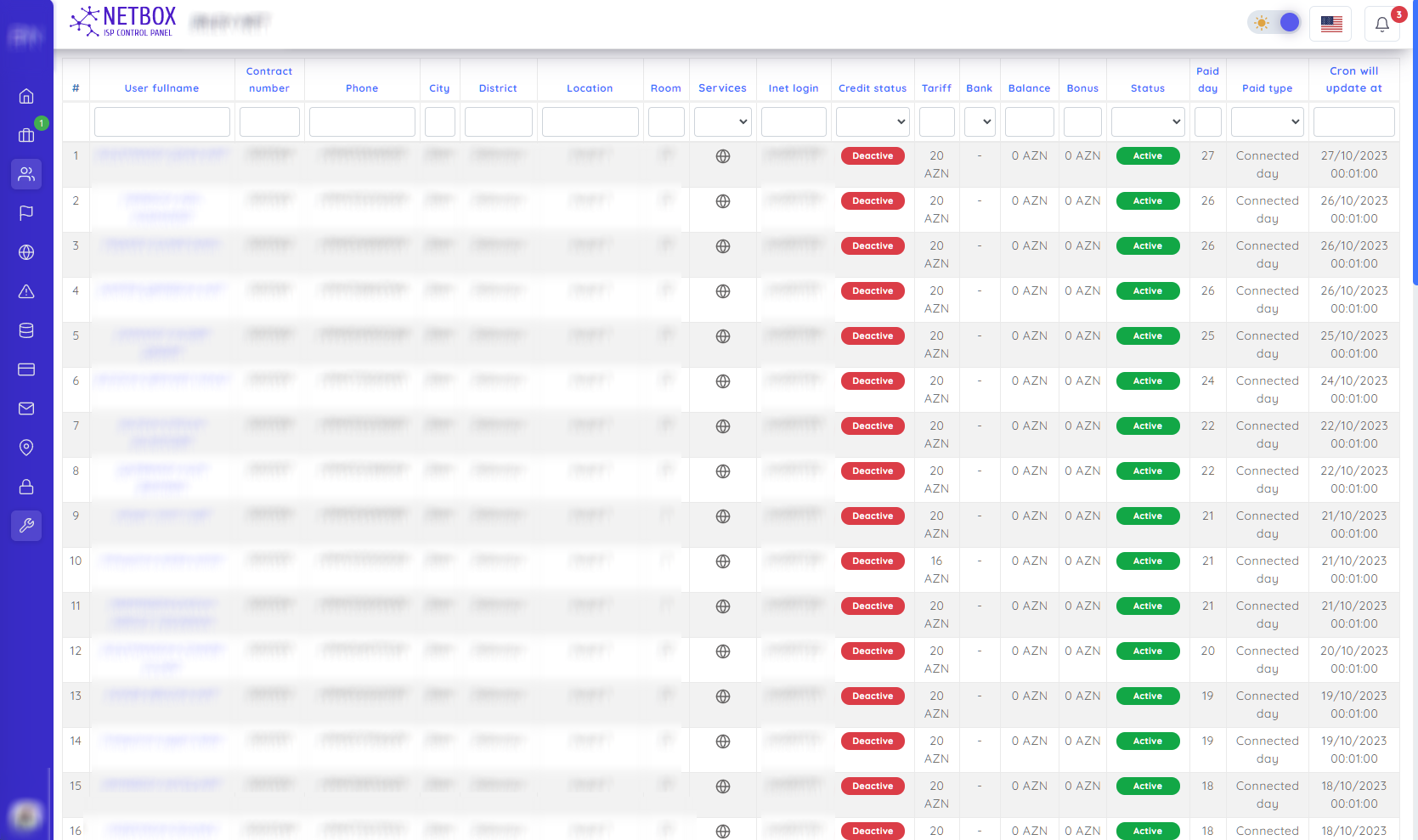
You can search for the respective fields in the above: Subscriber Contract number Phone City Street Area Room Services Inet login Credit status Tariff Bank Balance Bonus Status Payment day Payment type Renewal date of the service This allows you to search for subscribers in the database based on these criteria.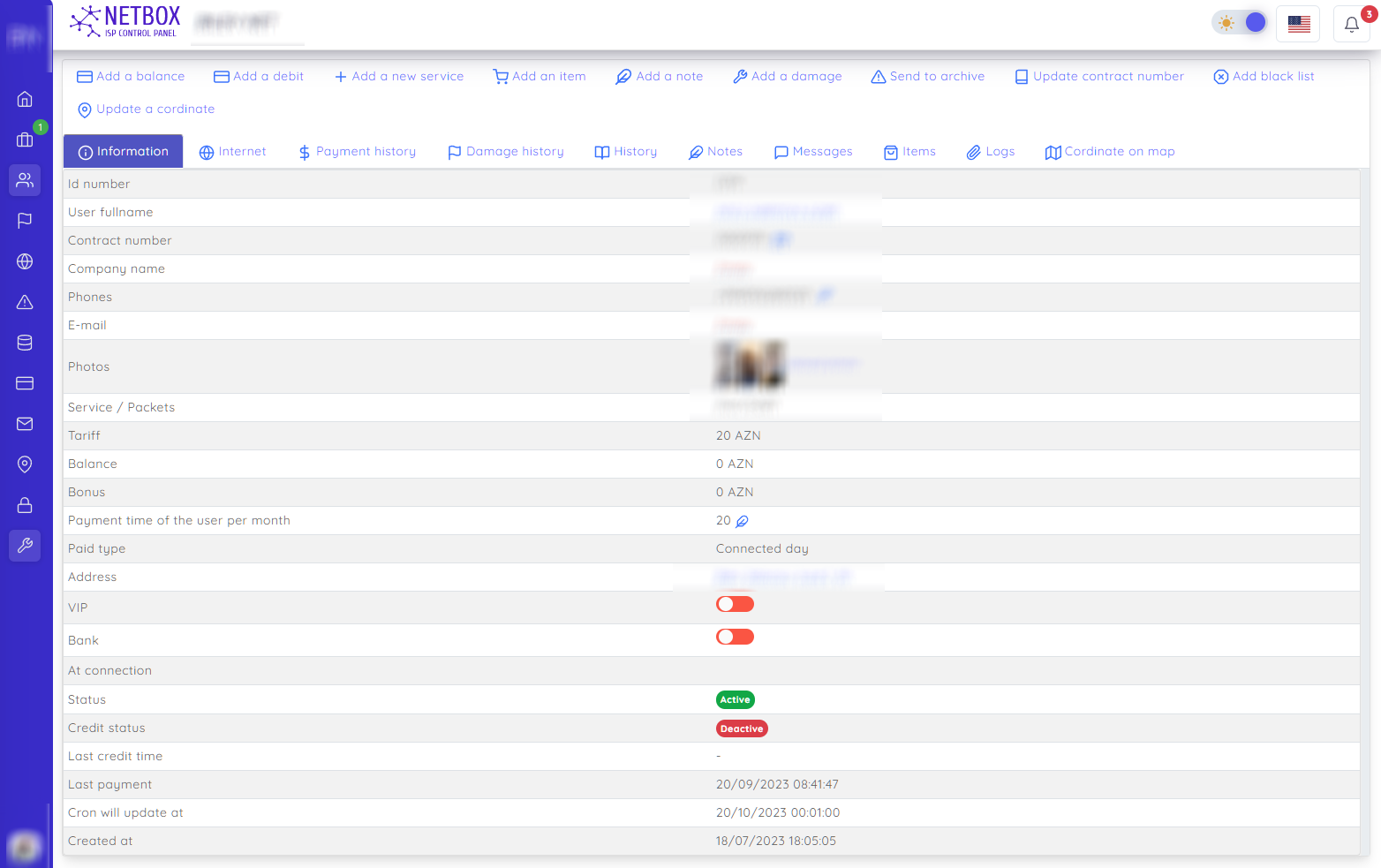
On this page, all information related to the user is aggregated.
You can easily perform the following operations from here:
- Add a balance
- Add a debt
- Add a new service - Notify the user of their new service acquisition and send it to the orders section under the name "New service status" for further processing.
- Add a product - You can add the user's initially connected or subsequently installed devices and materials.
- Add a note - You can make special notes about the user in the opened window.
- Add an accident or complaint - You can record complaints or accident-related applications regarding the user in the opened window.
- Archive - You can stop all user services for any reason and archive them for storage in the database.
- Renew contract number - You can renew the user's contract number in the opened window.
- Add to blacklist - You can delete all user services for any reason and add them to the blacklist.
- Change GPS coordinates - You can update the user's GPS coordinates in the opened window.
You can also view more detailed information about the following:
- Information - Initial information about the user. Service (Internet, TV) - You can see the packages corresponding to the services received by the user.
- Payment history - You can view the payment history of the user. Accident history - You can view the accident history of the user.
- History - You can view the history of the user.
- Notes - You can view the notes made about the user.
- Messages - You can view the messages sent to the user.
- Products - You can view the devices and materials installed for the user.
- Logs - You can track all operations performed on the user by our operators.
- Coordinates on the map - You can view the GPS coordinates of the user on the map.
Please note that these translations are based on the context you provided, and they may need further refinement depending on the exact use case and terminology used in your application.